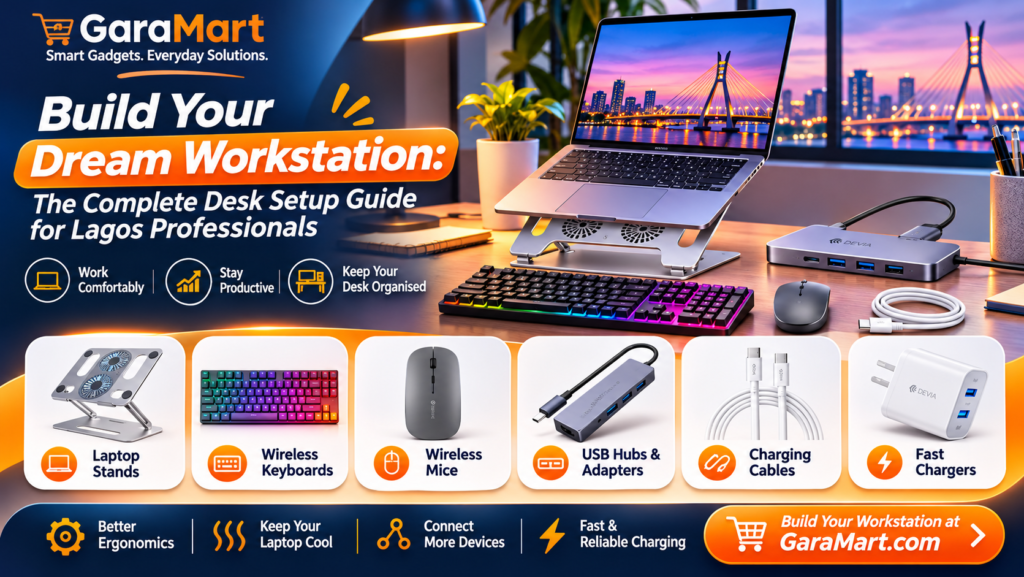
Build Your Dream Workstation: The Complete Desk Setup Guide for Lagos Professionals
Your workspace has a bigger impact on your everyday work experience than you might think.
Whether you work from home in Lekki, manage projects from an office in Ikeja, develop applications in Yaba or run a business from Surulere, having an organised workstation can make everyday tasks more comfortable and convenient.
A laptop alone may be enough to get started, but the right accessories can improve how you work, organise your desk and manage multiple tasks.
From ergonomic laptop stands and wireless keyboards to cooling pads and USB hubs, small improvements can transform an ordinary desk into a more functional workspace.
In this guide, we explore the essential desk setup accessories every professional in Lagos should consider when building a productive workstation.
Why Does Your Workstation Setup Matter?
You probably spend several hours every day working on a computer. During that time, an uncomfortable desk arrangement, poor screen positioning or unnecessary clutter can make your work experience less enjoyable.
A well-organised workstation can help you:
- Keep important accessories within reach.
- Organise cables and reduce desk clutter.
- Improve laptop positioning.
- Make typing and navigation more comfortable.
- Connect multiple devices conveniently.
- Create a dedicated environment for focused work.
The objective is not to build an expensive office. It is to create a workspace that supports your daily activities.
1. Laptop Stand – Give Your Workspace a Better Layout
A laptop stand is one of the most useful accessories for a workstation.
Placing your laptop directly on a desk may require you to look down continuously at the screen. A suitable laptop stand can raise the display closer to your preferred viewing height.
It also creates additional space underneath your laptop for storing small accessories.
What to look for:
- Adjustable height and viewing angle.
- Strong and stable construction.
- Compatibility with your laptop size.
- Ventilation-friendly design.
- Foldable construction if portability matters.
Best for: Developers, designers, remote workers and professionals who use laptops for several hours.
GaraMart recommendation: Explore available laptop stands and computer accessories to find an option suitable for your setup.
For better ergonomics, pair a laptop stand with an external keyboard and mouse. Position your screen and input devices comfortably, and take regular breaks.
2. Wireless Keyboard – Make Typing More Convenient
If you regularly write documents, send emails, work with spreadsheets or write code, a separate keyboard can make your workstation more flexible.
A wireless keyboard reduces the need for additional cables and gives you more freedom when arranging your desk.
What to look for:
- Comfortable key layout.
- Reliable wireless connectivity.
- Battery life.
- Compatibility with your computer.
- Compact or full-size design depending on your needs.
Best for: Writers, programmers, office professionals and students.
GaraMart recommendation: Browse available keyboards and compare their layouts, connectivity and features.
3. Wireless Mouse – Improve Everyday Navigation
Using a mouse can make many computer tasks easier, particularly when working with spreadsheets, presentations, design applications and development tools.
A wireless mouse also helps maintain a cleaner workstation by reducing cable clutter.
What to look for:
- Comfortable ergonomic design.
- Adjustable sensitivity.
- Reliable wireless connection.
- Battery performance.
- Compatibility with your operating system.
Best for: Professionals who work extensively on laptops and desktop computers.
GaraMart recommendation: Explore available wireless mice and computer accessories.
4. Laptop Cooling Pad – Help Manage Laptop Heat
Laptops can become warm during extended workloads, particularly when running development environments, design software, games or multiple applications.
A laptop cooling pad provides an additional airflow surface, with some models using built-in fans to help move air around the device.
What to look for:
- Laptop size compatibility.
- Fan performance and noise levels.
- Stable laptop support.
- USB power requirements.
- Adjustable positioning if available.
Best for: Developers, designers, gamers and professionals with demanding workloads.
GaraMart recommendation: Check the available laptop cooling pads and confirm compatibility with your laptop.
Remember that a cooling pad cannot replace proper laptop ventilation or maintenance.
5. USB Hub – Connect More Devices to Your Laptop
Modern laptops sometimes have fewer physical ports than users need.
If you regularly connect a mouse, keyboard, flash drive, external storage device or other accessories, a USB hub can make your setup more convenient.
What to look for:
- Number of available ports.
- USB-A and USB-C compatibility.
- Data transfer speed.
- Power delivery support if required.
- HDMI or display output if supported and needed.
Best for: Programmers, designers, office professionals and people working with multiple accessories.
GaraMart recommendation: Explore available USB hubs and adapters.
Always check your laptop’s supported ports and the hub’s specifications before purchasing.
6. Laptop Adapters and Converters – Solve Connectivity Problems
Different laptops and accessories may use different connection standards.
An adapter or converter helps connect compatible devices when their ports do not match.
For example, you may need an adapter to connect a USB-A accessory to a USB-C laptop.
What to look for:
- Supported connector types.
- Device compatibility.
- Data transfer capabilities.
- Video output support where applicable.
- Charging and power delivery compatibility.
Best for: Professionals who connect external monitors, storage devices and other peripherals.
GaraMart recommendation: Browse available converters, adapters and connectivity accessories.
7. Cable Management – Keep Your Desk Organised
A workstation can quickly become cluttered when several devices share the same desk.
Charging cables, USB connections and power cables can create unnecessary mess if they are not arranged properly.
Consider using suitable cable organisers, clips or storage accessories where available.
Simple organisation tips:
- Keep frequently used cables within reach.
- Separate charging cables from unused accessories.
- Avoid unnecessary cable crossings.
- Label cables when several similar connections are used.
- Keep power connections safely arranged.
A clean desk makes it easier to locate accessories and maintain your workspace.
8. Choose a Comfortable Desk and Chair
Technology accessories are only one part of a productive workstation.
Your desk and chair also matter.
Choose a desk that provides enough space for your laptop, keyboard, mouse and other everyday essentials.
Your chair should provide suitable support and allow you to maintain a comfortable sitting position.
Things to consider:
- Enough desk space.
- Comfortable seating.
- Suitable screen height.
- Proper lighting.
- Regular movement and breaks.
Avoid remaining in one position for long periods. Adjust your workspace to suit your body and work requirements.
9. Add a Multi-Device Setup for Better Productivity
If your work involves several applications, switching between different tasks can become time-consuming.
A suitable multi-device workstation can make your workflow more convenient.
For example, a professional might use:
- A laptop for primary work.
- An external keyboard for typing.
- A wireless mouse for navigation.
- A USB hub for connecting accessories.
- A laptop stand for screen positioning.
Depending on your needs and available equipment, you can gradually improve your setup without replacing your entire computer.
How to Build a Budget-Friendly Workstation in Lagos
You do not need to purchase every accessory at once.
Start with the items that solve your biggest daily problems.
Basic Workstation Setup
If you are just getting started, consider:
- Laptop stand.
- Wireless mouse.
- External keyboard.
These accessories can help create a more organised laptop workspace.
Professional Workstation Setup
If you work remotely or spend several hours at your desk, consider adding:
- Laptop cooling pad.
- USB hub.
- Suitable adapters.
- Better desk organisation.
Advanced Workstation Setup
For demanding workloads, you may also consider:
- Multiple display connections, if supported.
- External storage.
- Additional connectivity accessories.
- More advanced keyboard and mouse options.
Choose components based on your actual work requirements.
Common Workstation Mistakes to Avoid
Before investing in new office gadgets, avoid these common mistakes.
1. Buying incompatible accessories: Check your laptop’s ports and operating system compatibility.
2. Ignoring ergonomics: A powerful computer setup is not useful if it is uncomfortable to use.
3. Purchasing unnecessary gadgets: Start with accessories that solve actual problems.
4. Ignoring ventilation: Keep your laptop’s air vents unobstructed.
5. Overlooking cable management: Organise cables to maintain a clean and safe desk.
6. Choosing products only by price: Compare specifications, durability and warranty.
Where to Find Workstation Accessories in Lagos?
Building a better workstation starts with identifying the accessories that suit your everyday work.
GaraMart provides an online shopping destination where you can explore available computer accessories, keyboards, wireless mice, laptop cooling pads, laptop stands, hubs and adapters.
Whether you are setting up a home office in Lekki, organising a workspace in Ikeja or improving your office setup in Yaba, compare available products and choose accessories that match your requirements.
Check product specifications, availability and current prices before placing an order.
Frequently Asked Questions
1. What are the essential desk setup accessories for professionals in Lagos?
Useful accessories include laptop stands, wireless keyboards, wireless mice, cooling pads, USB hubs and compatible adapters.
2. Is a laptop stand worth buying?
A laptop stand can improve screen positioning and free up desk space. It works particularly well when paired with a separate keyboard and mouse.
3. Which keyboard is best for office work?
The best keyboard depends on your typing habits, preferred layout, connectivity requirements and comfort. Compare different keyboard designs before purchasing.
4. Do I need a laptop cooling pad?
A cooling pad may help improve airflow around compatible laptops, especially during extended workloads. Its effectiveness depends on the laptop design and cooling pad specifications.
5. What does a USB hub do?
A USB hub expands the number of available USB connections, allowing you to connect compatible peripherals such as keyboards, mice and storage devices.
6. What accessories are useful for a home office?
Laptop stands, wireless mice, keyboards, USB hubs and cable organisers are useful accessories for a home office.
7. How can I organise a small workstation?
Use a laptop stand, compact keyboard, wireless mouse and suitable cable organisers to reduce clutter and make better use of available desk space.
8. Where can I buy computer accessories in Lagos?
You can explore GaraMart’s available computer accessories and workstation products to compare features, specifications and prices.
Final Thoughts
A productive workstation is not about having the most expensive equipment. It is about creating an organised and comfortable environment that supports your everyday work.
Start with essential accessories such as a laptop stand, keyboard and wireless mouse. Add a cooling pad, USB hub and other connectivity accessories as your needs grow.
Whether you work from home, manage a business or spend your day developing software, the right workstation accessories can make everyday tasks more convenient.
Explore GaraMart’s computer accessories collection and build a workstation that works for you.