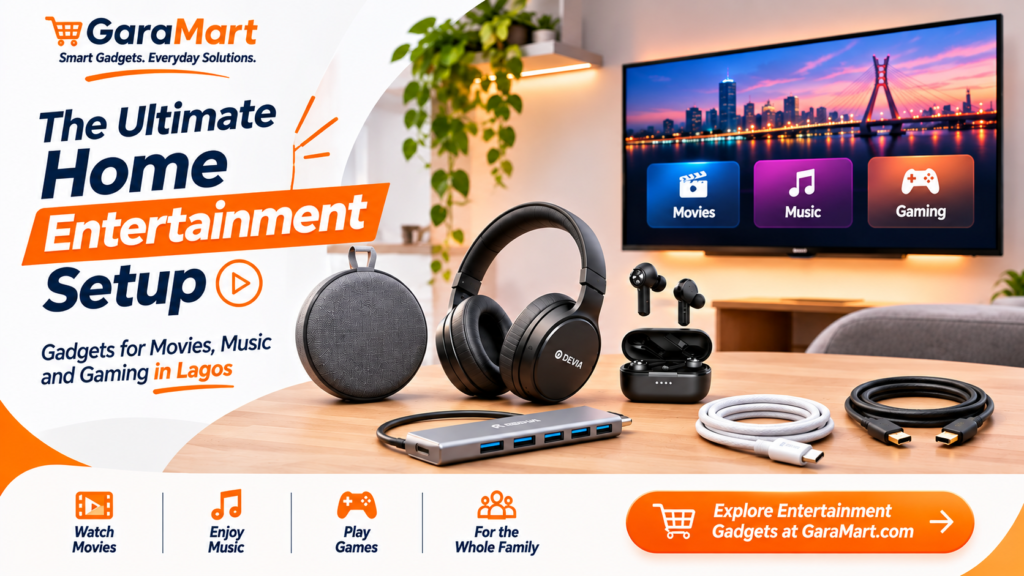
The Ultimate Home Entertainment Setup: Gadgets for Movies, Music and Gaming in Lagos
After a busy day at work, having a comfortable entertainment space at home can make a big difference. Whether you enjoy watching movies, listening to music, playing games or spending time with family, the right technology accessories can improve your experience.
You do not need an expensive home theatre system or a dedicated entertainment room to enjoy quality entertainment. A few carefully selected gadgets can help you create a practical setup in your living room, bedroom or personal workspace.
For people living in Lagos, building a home entertainment setup also means considering available space, device compatibility, electricity requirements and budget.
In this guide, we explore useful gadgets and accessories that can help you create a better home entertainment experience.
1. Start with Your Entertainment Requirements
Before purchasing gadgets, decide how you plan to use your entertainment setup.
Different activities require different accessories.
For movie lovers:
- Bluetooth speakers or compatible audio systems
- Headphones for private listening
- HDMI cables and adapters
- Suitable display accessories
For music lovers:
- Bluetooth speakers
- Wireless headphones
- Earbuds
- Charging accessories
For gaming enthusiasts:
- Gaming headphones
- Computer accessories
- USB hubs and adapters
- Suitable connectivity accessories
For family entertainment:
- Portable speakers
- Convenient device stands
- Charging accessories
- Shared audio equipment
Start with your main entertainment activity and purchase accessories that support it.
2. Bluetooth Speakers – Enjoy Music and Movies with Better Audio
A Bluetooth speaker is a convenient option for people who want to enjoy music and audio without complicated wiring.
You can place a compact speaker on a shelf, desk or entertainment table.
Depending on its design and specifications, a Bluetooth speaker may be suitable for:
- Listening to music
- Watching online videos
- Playing podcasts
- Small gatherings
- Casual gaming
- Listening to audiobooks
What to Check Before Buying a Bluetooth Speaker
Sound quality: Check whether the speaker offers clear audio and suitable bass for your preferences.
Battery life: Consider how long it can operate between charges.
Connectivity: Check Bluetooth compatibility and any additional connection options.
Size: Choose a speaker that fits your available space.
Portability: If you plan to move it between rooms, consider its weight and design.
A compact Bluetooth speaker may be enough for personal entertainment, while larger rooms may require a more powerful audio solution.
3. Headphones and Earbuds – Enjoy Private Entertainment
Sometimes, you may want to watch a movie, listen to music or play games without disturbing other people at home.
Headphones and earbuds provide a convenient solution.
Wireless Headphones
Wireless headphones are useful for extended listening sessions, especially when you prefer an over-ear design.
Consider:
- Comfort and fit
- Battery life
- Sound quality
- Bluetooth connectivity
- Microphone quality
- Noise-cancelling features, if needed
Wireless Earbuds
Earbuds are compact and easy to carry. They are suitable for everyday music, videos, calls and other audio activities.
Consider their battery life, charging case, comfort and microphone performance.
Wired Headphones
Wired headphones can be useful when you prefer a direct connection or want to avoid charging another wireless accessory.
Check whether your device has a compatible audio port or requires an adapter.
4. Create a Better Gaming Setup
Gaming at home becomes more enjoyable when your devices and accessories are properly organised.
Whether you play mobile games or computer games, choose accessories that match your platform.
Useful Gaming Accessories
Gaming headphones: Help you hear game audio and communicate with teammates when supported.
Wireless mouse: Useful for compatible computer gaming and everyday navigation.
Keyboard: Choose a comfortable keyboard that matches your gaming and typing requirements.
USB hub: Helps connect additional compatible peripherals to a computer.
Charging accessories: Keep wireless devices and controllers ready for use.
Before buying, check the compatibility of every accessory with your gaming device.
5. HDMI Cables and Adapters – Connect Your Devices to Displays
HDMI connections are commonly used to transmit video and audio between compatible devices.
An HDMI cable or suitable adapter can help connect a laptop, gaming device or other supported equipment to a television or monitor.
What Should You Check?
- Supported resolution
- Refresh rate
- HDMI version and bandwidth requirements
- Device compatibility
- Cable length
- Adapter requirements
For example, if you want to connect a laptop to a monitor, check whether the laptop supports video output through its HDMI or USB-C port.
A USB-C to HDMI adapter will only work for video output when the connected USB-C port supports the required display functionality.
6. Organise Your Entertainment Accessories
An entertainment setup can quickly become messy when cables, chargers and devices are placed without organisation.
A few practical accessories can help keep your space tidy.
Consider:
- Charging cables
- USB hubs
- Adapters and converters
- Power banks for compatible portable devices
- Cable organisers
- Device stands
Keep frequently used accessories close to your entertainment area and store spare cables separately.
Avoid overloading electrical sockets and use compatible chargers and accessories.
7. Build an Entertainment Setup for Different Budgets
You do not need to purchase every accessory at once. Start with essential products and expand your setup gradually.
Basic Entertainment Setup
Suitable for someone who wants simple home entertainment.
Recommended accessories:
- Compact Bluetooth speaker
- Wired or wireless earbuds
- Suitable charging cable
Comfortable Entertainment Setup
Suitable for regular movie watching, music and casual gaming.
Recommended accessories:
- Better-quality Bluetooth speaker
- Wireless headphones
- Phone or device stand
- Charging accessories
Advanced Entertainment Setup
Suitable for people who use multiple devices and want more connectivity.
Recommended accessories:
- Suitable audio equipment
- Gaming headphones
- USB hub
- HDMI cable or adapter
- Additional computer accessories
These are example setups rather than fixed shopping packages. Choose products based on your actual devices and requirements.
8. Tips for Choosing the Right Entertainment Gadgets
Before purchasing entertainment accessories, keep these points in mind.
Check Device Compatibility
Make sure the accessory works with your smartphone, laptop, television, monitor or gaming device.
Consider Your Room Size
A compact speaker may be suitable for a bedroom, while a larger room may need a different audio arrangement.
Compare Features and Price
Do not choose products based only on appearance. Compare specifications, quality and available warranty information.
Think About Battery Life
Wireless accessories need regular charging. Choose battery performance that suits your usage.
Avoid Unnecessary Purchases
Purchase accessories that improve your actual entertainment experience instead of buying products you may rarely use.
9. Where to Find Home Entertainment Accessories in Lagos
Building a home entertainment setup starts with identifying the accessories you need.
At GaraMart, explore relevant product categories such as:
- Bluetooth speakers
- Headphones and earbuds
- Computer accessories
- Cables and adapters
- USB hubs
- Charging accessories
Compare specifications, connectivity options and compatibility before purchasing.
Whether you are creating a simple music corner, improving your movie-watching experience or organising a gaming setup, choose products that match your space and budget.
Frequently Asked Questions
1. What gadgets do I need for a basic home entertainment setup?
A Bluetooth speaker, headphones or earbuds and suitable charging accessories are useful starting points.
2. Are Bluetooth speakers good for watching movies?
Yes. A suitable Bluetooth speaker can improve audio convenience when watching movies. Check its sound quality, connectivity and compatibility with your device.
3. Which is better for entertainment: headphones or earbuds?
Both have advantages. Headphones may provide a more comfortable over-ear listening experience for some people, while earbuds are compact and portable. Choose based on comfort and usage.
4. What accessories are useful for a gaming setup?
Gaming headphones, keyboards, wireless mice, USB hubs and suitable charging accessories can support a computer gaming setup. Check compatibility with your gaming platform.
5. Can I connect my laptop to a television using HDMI?
Yes, if your laptop and television support compatible HDMI connections. You may need an appropriate adapter depending on the available ports.
6. How can I organise entertainment cables?
Use cable organisers, keep charging accessories together and separate frequently used cables from spare ones.
7. How much should I spend on a home entertainment setup?
Your budget depends on the equipment you already own and the experience you want. Start with essential accessories and upgrade gradually.
Final Thoughts
A good home entertainment setup does not have to be complicated or expensive.
The right Bluetooth speaker, headphones, cables and adapters can make everyday entertainment more convenient. If you enjoy gaming or connecting multiple devices, suitable computer accessories and connectivity products can improve your setup further.
Start by understanding your entertainment requirements, checking device compatibility and choosing accessories that fit your available space and budget.
Explore GaraMart’s audio products and technology accessories to build a home entertainment setup that suits your lifestyle in Lagos.