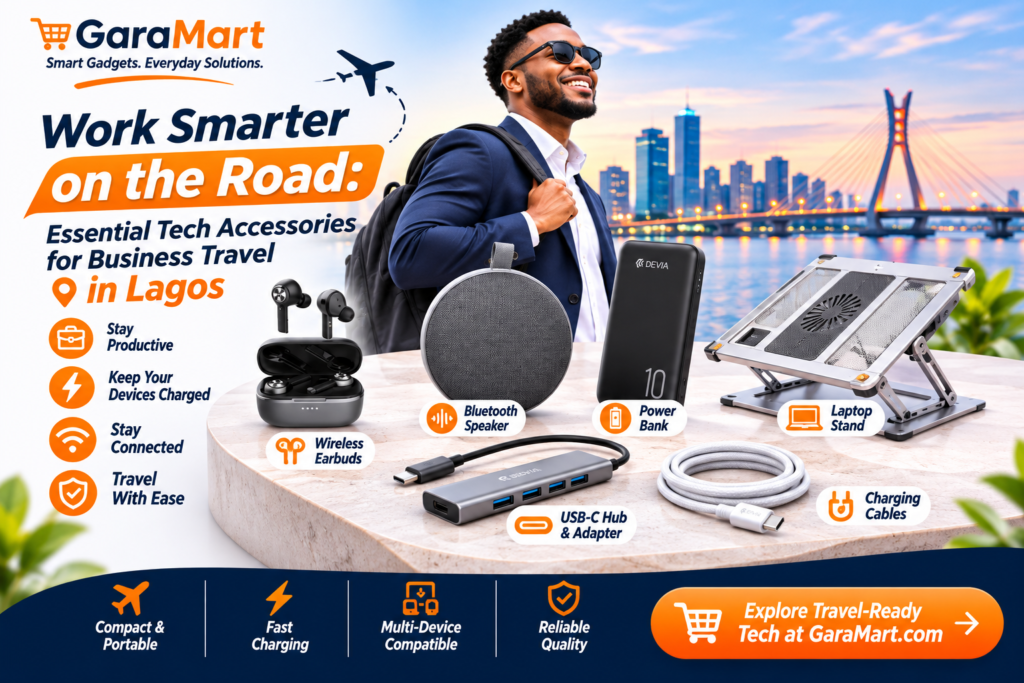
Work Smarter on the Road: Essential Tech Accessories for Business Travel in Lagos
Business travel does not always mean travelling long distances. Sometimes, it means moving between client meetings, office locations, co-working spaces and appointments across Lagos.
When you spend much of your day outside your regular workspace, keeping your devices charged, organised and ready to use becomes important.
A drained smartphone, missing charging cable or unreliable internet connection can interrupt your work schedule. Carrying a few practical technology accessories can help you avoid these problems and stay productive throughout the day.
You do not need to carry an entire office in your bag. The right combination of portable accessories can make business travel easier and more organised.
In this guide, we explore essential tech accessories that professionals, freelancers and business owners can consider for their everyday travel routine in Lagos.
1. Power Bank – Keep Your Smartphone Ready
Your smartphone is one of the most important tools when travelling for work. You may use it for calls, emails, navigation, online meetings, document access and communication with clients.
A power bank provides additional battery capacity when you are away from a wall socket.
Why it is useful for business travel:
- Charge your phone between meetings.
- Keep your communication apps available.
- Support compatible wireless accessories.
- Reduce dependence on finding charging points.
- Stay prepared during longer working days.
What to check before buying:
- Battery capacity
- USB-C and USB-A port availability
- Charging output
- Fast-charging compatibility
- Size and weight
- Safety protections
Choose a power bank that supports your smartphone and fits comfortably inside your everyday bag.
2. Wireless Earbuds – Manage Calls More Conveniently
Wireless earbuds can be useful when attending calls, listening to meeting audio or reviewing recorded content while travelling.
They are compact and easy to carry, making them suitable for professionals who frequently communicate with clients and colleagues.
Useful situations include:
- Listening to online meetings
- Attending voice calls
- Listening to training materials
- Reviewing audio recordings
- Enjoying audio during breaks
What to consider before purchasing:
- Microphone clarity
- Battery life
- Comfortable fit
- Bluetooth connectivity
- Charging case capacity
- Noise-control features
For important business calls, check microphone quality and test the earbuds in your usual working environment.
Avoid using earbuds in situations where you need to remain aware of surrounding traffic and public activity.
3. USB-C Hub – Connect Multiple Devices
Modern laptops often have fewer physical ports than older computers.
If your work involves presentations, external displays, USB drives or other accessories, a USB-C hub can help expand your connectivity.
Depending on the model, a hub may include:
- USB-A ports
- USB-C ports
- HDMI output
- SD card reader
- Ethernet connection
- USB-C Power Delivery pass-through
Who may benefit from a USB-C hub?
- Business professionals
- Software developers
- Designers
- Freelancers
- People who regularly give presentations
Before purchasing, confirm that your laptop supports the hub’s required features. For example, not every USB-C port supports external video output.
4. Charging Cables – Carry the Right Connections
A charging cable is a small accessory, but forgetting one can interrupt your working day.
If you use several electronic devices, carry the cables that match their charging ports.
Common examples include:
- USB-C cables
- Lightning cables for compatible older Apple devices
- Micro-USB cables for supported older accessories
Tips for carrying cables:
- Choose durable cables with clear specifications.
- Carry the correct cable for each device.
- Use a small organiser to prevent tangling.
- Check charging capacity and compatibility.
- Replace cables with damaged connectors or exposed wires.
Avoid carrying unnecessary cables. A small selection of compatible accessories is usually easier to manage.
5. Compact Bluetooth Speaker – Useful for Small Meetings
A portable Bluetooth speaker can be useful when you need to play audio during a small presentation, training session or informal meeting.
It may also be convenient for listening to audio while working in a suitable private environment.
What to look for:
- Compact design
- Clear sound
- Suitable battery life
- Reliable Bluetooth connection
- Easy charging
- Convenient controls
A portable speaker is optional. For most private meetings, headphones or earbuds may be more appropriate.
6. Laptop Accessories – Make Mobile Work Easier
If you carry a laptop between work locations, a few accessories can make your setup more comfortable.
Depending on your requirements, consider:
Laptop stand: Helps position your laptop screen at a more comfortable viewing height when working at a desk.
Wireless mouse: Makes navigation easier for people who regularly work with documents, spreadsheets or design applications.
Cooling pad: May help certain laptops manage heat, depending on the design and airflow requirements.
USB hub: Adds connectivity for compatible peripherals.
Laptop bag: Protects your device and helps organise accessories during travel.
Choose accessories that are lightweight and easy to transport.
7. Phone Stand – A Simple Tool for Video Meetings
A phone stand can be helpful when you need to attend video calls or refer to information on your smartphone while working.
Instead of holding your phone throughout a meeting, place it on a stable surface at a suitable viewing angle.
Common uses include:
- Video conferences
- Online interviews
- Reviewing documents
- Watching training sessions
- Hands-free video calls
Look for a compact, adjustable design that fits your smartphone.
8. Organise Your Tech Accessories with a Small Travel Kit
Carrying individual accessories without organisation can make your bag messy.
A simple tech organiser can keep your frequently used items together.
Consider including:
- Charging cables
- Power bank
- Wireless earbuds
- USB hub
- Compatible charger
- Small adapters
Keep essential documents and personal belongings separate from electronic accessories.
Before leaving for a meeting, check that your important devices are charged and that you have the cables required for the day.
9. Build Your Business Travel Tech Kit Based on Your Work
Different professionals need different accessories. You do not need every product listed in this guide.
For Office Professionals
Recommended accessories:
- Power bank
- Wireless earbuds
- Charging cable
- Phone stand
For Freelancers
Recommended accessories:
- Power bank
- USB-C hub
- Wireless mouse
- Laptop stand
- Charging cable
For Developers and Designers
Recommended accessories:
- USB-C hub
- Wireless mouse
- Laptop accessories
- Power bank
- Earbuds
For Business Owners
Recommended accessories:
- Power bank
- Wireless earbuds
- Charging cables
- Phone stand
- Compact Bluetooth speaker, if required
Select products based on your actual work requirements and the devices you carry.
10. Practical Tips for Staying Productive While Travelling in Lagos
Having the right accessories is useful, but planning your workday is equally important.
Charge your devices before leaving: Start the day with sufficient battery power on your smartphone, laptop and wireless accessories.
Download important documents: Keep essential files available offline when possible.
Prepare for meetings: Save presentation files and check that the required adapters are available.
Keep your devices secure: Avoid leaving laptops, phones or accessories unattended in public places.
Organise your bag: Keep frequently used items in accessible compartments.
Protect your equipment: Use suitable laptop bags and protective cases when travelling.
Plan your charging needs: Know which devices may need additional power during the day.
These small habits can help reduce unnecessary interruptions.
11. Where to Find Business Travel Tech Accessories in Lagos
Building a practical travel tech kit starts with understanding which accessories you use regularly.
At GaraMart, explore relevant product categories such as:
- Power banks
- Wireless earbuds and headphones
- USB hubs and adapters
- Charging cables
- Laptop accessories
- Phone stands
- Bluetooth speakers
Compare product specifications, compatibility, dimensions and prices before purchasing.
Choose lightweight and practical accessories that match your daily work routine.
Frequently Asked Questions
1. What are the most important tech accessories for business travel?
A power bank, charging cable, wireless earbuds and suitable laptop accessories are useful starting points for many professionals.
2. Do I need a USB-C hub for business travel?
A USB-C hub is useful if your laptop has limited ports and you regularly connect USB drives, external displays or other peripherals. Check your laptop’s compatibility first.
3. Which power bank is suitable for professionals?
Choose a power bank with sufficient capacity, compatible charging output and a portable design. Check your smartphone or laptop’s charging requirements before purchasing.
4. Are wireless earbuds useful for business meetings?
Yes. They can make calls and online meetings more convenient. Check microphone quality, battery life and comfort before buying.
5. How can I organise my travel tech accessories?
Use a small organiser for cables, adapters, earbuds and other accessories. Keep frequently used items easy to access.
6. Should I carry a laptop stand when travelling?
A portable laptop stand can be useful if you frequently work at desks outside your main office. Choose a lightweight model that fits your laptop and travel bag.
7. How can I avoid running out of battery during business travel?
Charge your devices before leaving, carry a compatible power bank and switch off unnecessary background features when appropriate.
Final Thoughts
Business travel around Lagos can involve a busy schedule, multiple meetings and long periods away from your regular workspace.
A practical travel tech kit can help you stay connected, keep your devices charged and work more comfortably.
Start with essential accessories such as a power bank, wireless earbuds and charging cables. Add USB hubs, laptop accessories and phone stands based on your work requirements.
Explore GaraMart’s technology accessories and build a travel-friendly setup that supports your everyday business activities