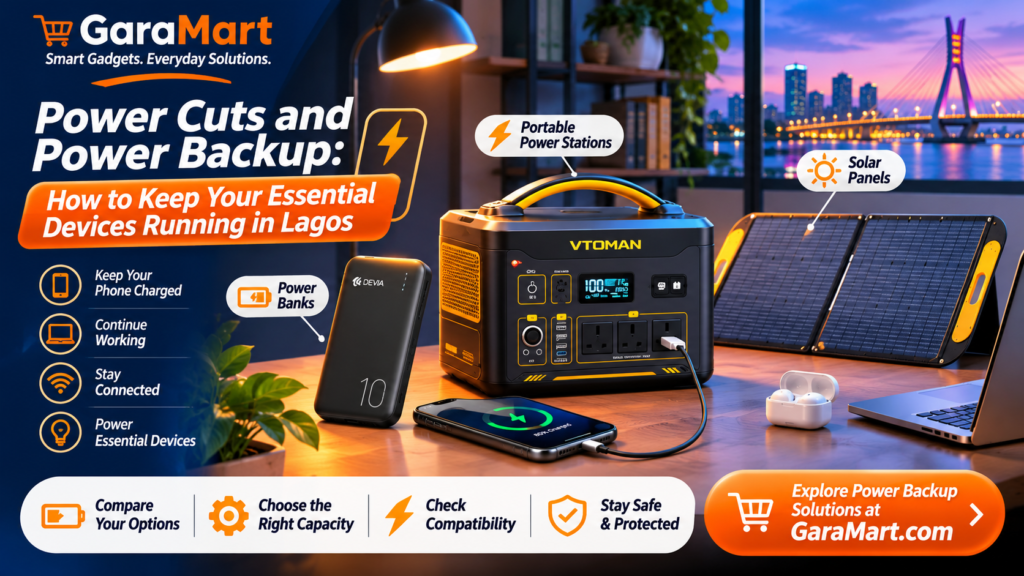
Power Cuts and Power Backup: How to Keep Your Essential Devices Running in Lagos
Power interruptions can disrupt your daily routine, especially when you depend on electronic devices for work, communication, entertainment and learning.
Imagine working on an important task when your laptop battery is almost empty, or needing your phone when there is no electricity available to charge it. Having a suitable backup power solution can make these situations easier to manage.
For people living and working in Lagos, choosing the right power backup equipment can help keep essential devices running during electricity interruptions.
However, not every backup solution is suitable for every requirement. A power bank may be enough for a smartphone, while a laptop or several household devices may require a higher-capacity solution.
In this guide, we explain the different types of backup power options, how to calculate your power requirements and what to consider before purchasing.
1. Why Is Backup Power Important?
Electricity interruptions can affect several everyday activities.
A suitable backup solution can help you:
- Keep your smartphone charged for communication.
- Continue working on a compatible laptop.
- Maintain internet connectivity using supported devices.
- Keep essential rechargeable accessories running.
- Stay connected during unexpected power interruptions.
- Support small electronic devices when electricity is unavailable.
The best solution depends on the devices you use, how long you need backup power and your available budget.
2. Power Banks: A Convenient Solution for Smartphones
A power bank is one of the simplest backup power accessories for everyday use.
It stores electrical energy and allows you to charge compatible devices without connecting them directly to a wall socket.
Power banks are particularly useful for people who travel frequently, work outdoors or need additional smartphone battery capacity.
What Can You Charge with a Power Bank?
Depending on its capacity and output specifications, a power bank can charge:
- Smartphones
- Wireless earbuds
- Bluetooth accessories
- Smartwatches with compatible charging arrangements
- Other low-power USB devices
Some higher-capacity models also support compatible tablets and laptops.
How to Choose the Right Power Bank
Consider these factors before purchasing:
Battery capacity: Power banks are commonly advertised in mAh. Higher capacity generally provides more stored energy, but the actual usable output is lower due to conversion losses.
Output power: Check whether the power bank supports the charging speed required by your device.
Port availability: Look for suitable USB-A or USB-C ports based on your devices.
Fast-charging support: Check compatibility with your phone’s charging technology.
Size and weight: Choose a portable model that suits your everyday routine.
3. Portable Power Stations: Backup Power Beyond Smartphones
A portable power station is designed to provide more backup capacity than a typical power bank.
Depending on the model, it may provide AC outlets, USB ports and other connections for compatible electronic devices.
It can be useful for people who need to power more than just a smartphone.
Devices You May Be Able to Run
Depending on the power station’s capacity and output rating, supported devices may include:
- Laptops
- Wi-Fi routers
- Smartphones
- LED lights
- Small electronic equipment
- Selected low-power household appliances
Always check the manufacturer’s continuous output rating, surge capacity and supported device requirements.
What to Check Before Buying a Power Station
Battery capacity: Usually advertised in watt-hours (Wh). This indicates how much energy the battery stores.
Output wattage: Determines how much power the unit can deliver at a given time.
Available ports: Check the number and types of AC, USB-A and USB-C connections.
Recharge time: Compare how long it takes to recharge from the available power sources.
Battery technology: Review the battery chemistry, expected cycle life and warranty.
Safety features: Look for suitable protection against overload, overheating and short circuits.
4. Solar Panels: An Alternative Way to Recharge
Solar panels can convert sunlight into electricity and may be used with compatible power stations or solar charging systems.
They can be useful when you want an alternative way to recharge a backup power unit.
However, solar charging performance depends on several factors, including sunlight availability, panel wattage, weather conditions, installation and the power station’s supported solar input.
What Should You Consider?
- Solar panel rated wattage
- Compatibility with your power station
- Connector type
- Supported voltage and current
- Available sunlight
- Panel portability and installation requirements
Before purchasing a solar panel, confirm that its electrical specifications match the supported solar input of your power station.
Do not assume that every solar panel can connect directly to every power station.
5. Power Bank vs Portable Power Station vs Solar Panel
Each backup solution serves a different purpose.
| Feature | Power bank | Portable power station | Solar panel |
|---|---|---|---|
| Main purpose | Charge portable devices | Power compatible devices | Generate electricity from sunlight |
| Portability | Usually very portable | Depends on capacity and size | Depends on panel design |
| Typical connection | USB | AC and USB, depending on model | Compatible solar input |
| Best suited for | Phones and accessories | Multiple compatible devices | Recharging supported backup systems |
| Electricity storage | Yes | Yes | No, unless paired with storage |
A solar panel is not a battery. To store electricity for later use, you generally need a compatible battery or power station.
6. How to Calculate Your Backup Power Requirements
Before buying backup equipment, identify which devices you want to power.
You do not need to calculate the power requirement of every device in your home. Start with the essential equipment.
Step 1: List Your Devices
For example:
- Wi-Fi router
- Laptop
- Smartphone
- LED light
Step 2: Check Their Power Consumption
Look at the device label or manufacturer’s specifications for its wattage.
Step 3: Estimate How Long You Need Backup
Multiply the device’s power consumption by the number of hours you want to use it.
Formula:
Energy required (Wh) = Device power (W) × Usage time (hours)
For example, a 40W device running for 3 hours requires:
40W × 3 hours = 120Wh
This is the estimated energy requirement before considering conversion losses and battery operating limits.
Step 4: Allow for Power Losses
Actual runtime will usually be lower than a simple capacity calculation suggests.
Consider inverter efficiency, battery reserve limits, device behaviour and environmental conditions.
Choose a power station with sufficient usable capacity rather than relying only on its advertised battery capacity.
7. Backup Power Solutions for Different Needs
Not everyone needs the same backup arrangement.
For Smartphone Users
A reliable power bank may be enough if your main requirement is keeping your phone and small accessories charged.
For Remote Workers
A suitable power station may help support a laptop, router and other compatible low-power equipment.
Check the combined wattage and required runtime before choosing the unit.
For Small Apartments
A portable power station may be useful for selected essential devices where its capacity and output are sufficient.
Avoid connecting appliances that exceed the power station’s ratings.
For People Interested in Solar Charging
A compatible solar panel and portable power station can provide an alternative charging arrangement.
Check the solar input specifications and expected charging conditions before purchasing.
8. Common Backup Power Buying Mistakes to Avoid
Choosing backup equipment without checking the specifications can lead to disappointing results.
Avoid these common mistakes:
Buying based only on battery capacity: A large Wh rating does not guarantee that a power station can run every appliance.
Ignoring output wattage: A device may need more power than the backup unit can provide.
Assuming every power bank supports laptops: Check whether the power bank has the required USB-C Power Delivery output.
Ignoring solar compatibility: A solar panel must match the supported voltage, current and connector requirements.
Expecting advertised runtime: Actual runtime depends on the load, efficiency and usable battery capacity.
Overlooking warranty and support: Check warranty terms and after-sales service before making a purchase.
Ignoring electrical safety: Use the correct cables and accessories, follow the manufacturer’s instructions and avoid damaged equipment.
9. How to Maintain Your Backup Power Equipment
Proper care can help keep your backup equipment working reliably.
- Store power banks and power stations according to manufacturer recommendations.
- Avoid exposing batteries to excessive heat or moisture.
- Use compatible charging adapters.
- Inspect cables and connectors regularly.
- Avoid overloading power stations.
- Follow recommended charging and storage procedures.
- Check battery condition and warranty information periodically.
For solar panels, keep the surface clean and follow the manufacturer’s installation and maintenance guidance.
10. Where to Find Backup Power Products in Lagos
Choosing the right backup power equipment begins with understanding your actual requirements.
At GaraMart, explore relevant product categories such as:
- Power banks
- Portable power stations
- Solar panels
- Charging cables and accessories
Compare battery capacity, output wattage, charging methods, product dimensions and compatibility before purchasing.
Whether you need a simple smartphone charging solution or a larger backup arrangement for selected electronic devices, choose a product that matches your usage requirements and budget.
Frequently Asked Questions
1. What is the difference between a power bank and a portable power station?
A power bank is generally designed for charging portable USB devices. A portable power station usually provides greater energy capacity and may include AC outlets and multiple connection types.
2. Can a power bank charge a laptop?
Some power banks can charge compatible laptops if they support the required USB-C Power Delivery output and sufficient wattage. Check your laptop’s charging requirements first.
3. How long can a portable power station run a laptop?
Runtime depends on the laptop’s power consumption, the power station’s usable battery capacity and conversion efficiency. Check the laptop’s actual power usage and the power station specifications.
4. Can solar panels charge a portable power station?
Yes, if the power station supports solar charging and the panel’s voltage, current and connector specifications are compatible.
5. Is a higher-capacity power bank always better?
Not necessarily. Consider portability, output power, charging speed, device compatibility and your actual usage requirements.
6. Can I run household appliances using a portable power station?
Only if the power station supports the appliance’s continuous and starting power requirements. Check the manufacturer’s ratings before connecting any appliance.
7. What should I buy first for emergency phone charging?
A suitable power bank is a practical starting point. Choose one with sufficient capacity, compatible output and appropriate safety features.
Final Thoughts
Having a suitable backup power solution can make everyday life more convenient when electricity is unavailable.
A power bank may be sufficient for smartphones, while a portable power station can support additional compatible devices. Solar panels can provide another way to recharge supported backup systems.
Before buying, understand your power requirements, compare product specifications and choose equipment that matches your daily needs.
Explore GaraMart’s power banks, portable power stations and solar panels to find practical backup power options for your home and everyday activities in Lagos.