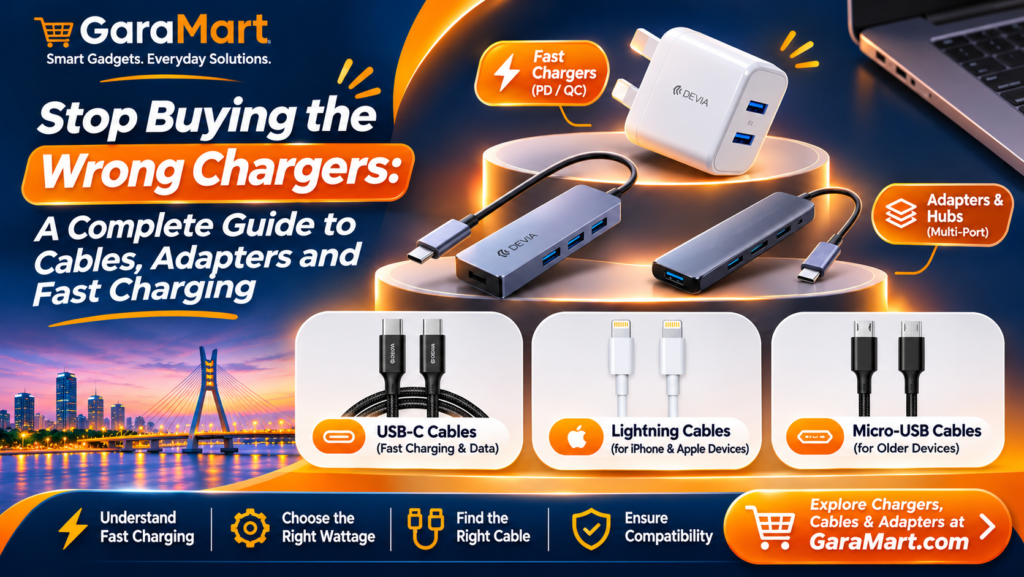
Stop Buying the Wrong Chargers: A Complete Guide to Cables, Adapters and Fast Charging
Have you ever purchased a new phone charger only to discover that it charges slowly, does not fit your device or does not support fast charging?
Choosing the right charger is not always as simple as selecting one with a matching connector. Charging speed, cable quality, power output and device compatibility all play an important role.
Whether you use a smartphone, tablet, laptop, smartwatch or wireless accessory, understanding charging technology can help you avoid unnecessary purchases.
For people living and working in Lagos, having the right charging accessories is especially useful when managing multiple devices at home, in the office or while travelling.
In this guide, we explain how chargers, cables, adapters and fast-charging technologies work so you can make a better purchasing decision.
1. Understand the Different Types of Charging Cables
The first step in choosing the correct charger is understanding the connector used by your device.
Different devices support different charging ports. Using the wrong cable can make charging inconvenient or impossible.
USB-C Cable
USB-C is a widely used connector found in many modern smartphones, tablets, laptops and accessories.
Its reversible design means you can plug it in either direction.
Common uses include:
- Charging compatible Android smartphones
- Charging tablets
- Connecting laptops and accessories
- Transferring files between supported devices
- Connecting USB-C hubs and adapters
Not every USB-C cable offers the same charging speed or data-transfer capability. Check the cable’s specifications before purchasing.
Lightning Cable
Lightning cables are used by older iPhone models and certain Apple accessories.
If your device uses a Lightning port, make sure the cable is compatible with that specific device.
Some newer Apple devices use USB-C instead, so always check your device’s charging port before buying.
Micro-USB Cable
Micro-USB is an older connector that is still found on some budget accessories and electronic devices.
It may be used with older smartphones, Bluetooth speakers, power banks and other small gadgets.
Before buying, confirm that your device actually supports Micro-USB.
2. What Is Fast Charging and How Does It Work?
Fast charging allows compatible devices to receive power more quickly than standard charging.
However, purchasing a high-wattage charger does not automatically mean your phone will charge at that speed.
Fast charging depends on three important factors:
- Charger: It must support a charging standard compatible with your device.
- Cable: It must support the required power output.
- Device: Your smartphone or other device must support the charging technology.
For example, if your phone supports a maximum charging speed of 25W, connecting it to a compatible 65W charger does not mean the phone will automatically charge at 65W.
The device controls how much power it accepts.
Common Fast-Charging Technologies
USB Power Delivery (USB-PD)
USB Power Delivery is a charging standard commonly used by smartphones, tablets and laptops. It can support different power levels depending on the charger, cable and connected device.
Qualcomm Quick Charge
Quick Charge is a fast-charging technology supported by certain smartphones and chargers. Compatibility depends on the device and charger specifications.
Manufacturer-specific fast charging
Some smartphone brands use their own fast-charging technologies. These may require compatible chargers and cables to achieve the advertised charging speeds.
Always check your phone manufacturer’s charging recommendations before choosing an accessory.
3. How to Choose the Right Charger Wattage
Charger wattage indicates its power output capability. Selecting the correct wattage helps ensure compatibility with your device.
Here are some general examples:
| Charger wattage | Common applications |
|---|---|
| 5W–12W | Basic charging for compatible small devices |
| 18W–25W | Many smartphones |
| 30W–45W | Compatible smartphones and tablets |
| 65W | Compatible laptops, tablets and phones |
| 100W or higher | Supported laptops and high-power devices |
These are general examples, not guaranteed charging requirements. Always check your device’s supported charging input.
Does Higher Wattage Mean Faster Charging?
Not necessarily.
A charger with a higher wattage rating can supply more power, but your device only draws what it supports.
A suitable charger should offer:
- Compatible charging technology
- Appropriate power output
- Correct connector type
- Reliable safety protections
- Compatibility with the cable and device
4. Why Your Phone May Be Charging Slowly
If your phone takes longer than expected to charge, the problem may not be the phone itself.
Here are some common reasons.
Using an Incompatible Charger
A charger may physically fit your phone but still lack support for its fast-charging standard.
Check the charger specifications and compare them with your device’s requirements.
Using a Low-Quality Cable
Poor-quality or damaged cables can affect charging performance.
Look for cables from reliable manufacturers with clear specifications.
Charging Through an Unpowered USB Hub
Some USB hubs provide limited power to connected devices. If you use a hub for charging, check its power-delivery specifications.
Device Temperature
High temperatures can cause smartphones to reduce charging speed to protect the battery.
Avoid charging your device in excessively hot environments.
Background Activities
Running demanding applications while charging can increase power consumption and slow down the apparent charging process.
5. USB Hubs and Adapters: What Do You Need?
Modern laptops and smartphones may have limited ports. USB hubs and adapters help connect multiple accessories.
USB-C Hub
A USB-C hub can expand a compatible device’s connectivity by providing additional ports.
Depending on the model, it may include:
- USB-A ports
- USB-C ports
- HDMI output
- SD card reader
- Ethernet connection
- USB-C Power Delivery pass-through
Before buying, check whether your laptop supports the required video output and whether the hub supports the power delivery you need.
HDMI Adapter
An HDMI adapter can connect a compatible laptop, tablet or phone to an external display.
Check the device’s video-output support, adapter resolution and refresh-rate specifications.
USB-A to USB-C Adapter
This adapter helps connect USB-C accessories to compatible USB-A ports or vice versa, depending on the adapter design.
Remember that an adapter does not automatically add charging speed or data-transfer features that the original ports do not support.
6. How to Choose the Right Cable for Your Device
A cable should be selected based on more than its appearance or connector shape.
Consider these points before buying:
1. Connector compatibility
Confirm that both ends of the cable match your charger and device.
2. Charging capacity
Check the maximum power supported by the cable, particularly when charging laptops or high-power devices.
3. Data-transfer support
Some cables support charging only or offer limited data speeds. If you transfer files frequently, check the advertised data-transfer capability.
4. Cable length
Choose a length that suits your workspace or charging location. Very long cables may be less convenient to carry.
5. Build quality
Look for durable connectors, suitable insulation and clear manufacturer specifications.
7. Common Charger-Buying Mistakes to Avoid
Many charging problems can be avoided by checking a few details before purchasing.
- Choosing only by price: Extremely cheap accessories may have unclear specifications or poor build quality.
- Ignoring compatibility: A connector fitting your device does not guarantee fast charging.
- Assuming every USB-C cable is identical: USB-C cables can differ in power and data capabilities.
- Buying unnecessary high wattage: Your device may not support the advertised maximum output.
- Ignoring cable quality: A suitable charger still needs a compatible cable.
- Using damaged accessories: Replace cables and chargers that show exposed wires, damaged connectors or unusual overheating.
- Ignoring safety certification and manufacturer information: Choose products with clear specifications and appropriate safety protections.
8. Build a Practical Charging Setup for Home and Work
If you use multiple devices, organising your charging accessories can make everyday life easier.
A practical setup may include:
For smartphone users
- Compatible fast charger
- Suitable charging cable
- Power bank
- Spare charging cable
For laptop users
- Laptop-compatible USB-C or original charger
- Appropriate USB-C cable
- USB-C hub
- HDMI adapter if needed
For people using multiple accessories
- Suitable multi-port charger
- Separate cables for different devices
- USB hub where required
- Organised charging area
You do not need to buy every accessory. Start with the devices you use most often and choose compatible products.
9. Where to Find Charging Accessories in Lagos
Finding the right charging accessory starts with understanding your device’s requirements.
At GaraMart, explore relevant product categories such as:
- Chargers and fast-charging accessories
- USB-C and other charging cables
- Converters and adapters
- USB hubs
- Power banks
Before purchasing, compare the product specifications with your device’s supported charging standards.
Check connector type, power output, cable capacity and compatibility to avoid buying the wrong accessory.
Frequently Asked Questions
1. Can I use a 65W charger for my smartphone?
Yes, if the charger is compatible with your smartphone’s charging requirements. Your phone will generally draw only the power it supports.
2. Does every USB-C cable support fast charging?
No. USB-C describes the connector type, not the cable’s full capabilities. Charging capacity and data-transfer support vary between cables.
3. Why is my phone charging slowly even with a fast charger?
Possible reasons include an incompatible charging standard, unsuitable cable, high device temperature or background activity.
4. Is a higher-wattage charger always better?
No. Choose a charger that meets your device’s requirements. Higher wattage is useful only when your device and cable support the relevant charging capabilities.
5. What is the difference between a USB hub and an adapter?
A USB hub expands the number of available ports, while an adapter converts one connector or interface into another. Their actual capabilities depend on the product and device.
6. How do I know which charger is suitable for my phone?
Check your phone manufacturer’s specifications for the supported charging standard, maximum input power and connector type. Then select a compatible charger and cable.
7. Can I use one charger for my phone and laptop?
Sometimes. A sufficiently powerful charger with compatible USB Power Delivery support may charge both devices. Check the laptop’s power requirements and the charger’s output profiles before using it.
Final Thoughts
Choosing the right charger is about compatibility, not simply buying the highest-wattage product.
Understanding USB-C cables, charging standards, power output and adapters can help you avoid common mistakes and protect your devices.
Before purchasing your next charging accessory, check your device specifications and compare them with the product details.
Explore GaraMart’s chargers, cables, converters and USB hubs to find accessories that suit your everyday charging and connectivity needs in Lagos.