Start Creating Content with Your Phone: A Beginner’s Gadget Setup in Lagos
Creating quality content does not always require an expensive camera or a professional studio. Your smartphone can be a powerful tool for recording videos, taking photos, creating social media posts and sharing your ideas online.
Whether you want to start a YouTube channel, create Instagram Reels, record TikTok videos, make product reviews or document your everyday experiences, you can begin with a simple smartphone setup.
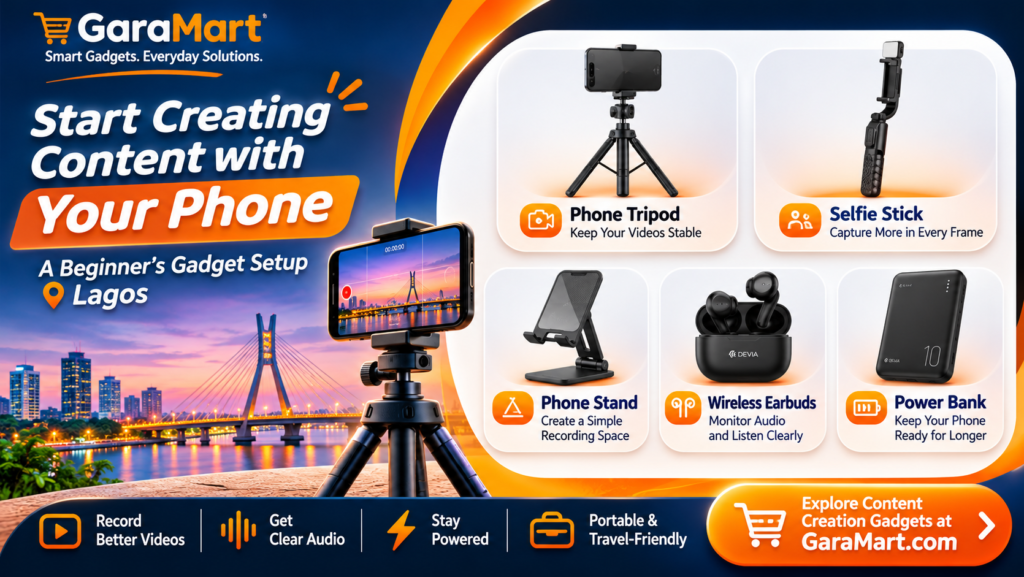
For beginners in Lagos, the right accessories can make content creation easier and more convenient. A phone tripod, selfie stick, phone stand, earbuds and power bank can help you record more confidently without spending too much.
In this guide, we will explore the essential gadgets you need to build a beginner-friendly mobile content creation setup.
Why Start Content Creation with Your Smartphone?
Starting with a smartphone is one of the easiest ways to enter the world of content creation. Most modern smartphones already have cameras capable of recording high-quality videos and capturing detailed photos.
You also do not need a complicated setup. With a few useful accessories, you can create content at home, outdoors, at your workplace or while exploring different places around Lagos.
Here are some advantages of starting with your phone:
- Affordable setup: You can begin without investing in an expensive camera.
- Easy to carry: Your smartphone and accessories can fit inside a small bag.
- Simple recording: Record videos whenever you have an idea.
- Quick editing: Use mobile editing applications to edit and publish content.
- Flexible content creation: Create tutorials, product reviews, short videos, photos and more.
5 Essential Gadgets for Beginner Content Creators
You do not need to purchase every accessory available in the market. Start with a few essential gadgets that solve common recording problems.
1. Phone Tripod – Keep Your Videos Stable
A phone tripod is one of the most useful accessories for anyone starting content creation.
Holding your phone throughout a recording session can cause shaky footage and make it difficult to maintain the same camera angle. A tripod keeps your smartphone steady and allows you to record hands-free.
What can you create with a phone tripod?
- YouTube videos and tutorials
- Instagram Reels and TikTok videos
- Online classes and presentations
- Product demonstrations
- Talking-head videos
- Group photos and videos
What to check before buying:
- Adjustable height
- Strong and stable legs
- Compatible smartphone holder
- Flexible angle adjustment
- Easy portability
A compact tripod is a practical starting point for beginners who want to record videos at home or outdoors in Lagos.
2. Selfie Stick – Capture More in Every Frame
A selfie stick helps you capture photos and videos from different angles without holding your phone too close to your face.
It is particularly useful when recording travel videos, outdoor content, group photos and walking videos.
Some models also include Bluetooth remote controls, allowing you to take pictures or start recording from a distance.
Best uses of a selfie stick:
- Travel and lifestyle videos
- Group photos
- Outdoor photography
- Walking videos
- Wide-angle selfie shots
Look for a model with a secure phone holder, comfortable grip and adjustable extension.
3. Phone Stand – Create a Simple Recording Space
If you regularly record videos at your desk, study area or home workspace, a phone stand can make your setup more comfortable.
Instead of placing your phone against books or other objects, use an adjustable stand to keep it in the correct position.
A phone stand is useful for:
- Recording desk-based tutorials
- Online meetings and video calls
- Live streaming
- Watching reference videos while working
- Recording product demonstrations
Choose a stand with adjustable viewing angles and a stable base. Make sure it supports your smartphone’s size and weight.
4. Earbuds – Monitor Audio and Listen Clearly
Good audio is just as important as good video. Viewers may stop watching a video if the sound is difficult to understand.
Earbuds can help you monitor recorded audio, listen to reference material and review your videos privately.
They are also convenient when editing videos on your smartphone or attending online meetings.
Before purchasing earbuds, consider:
- Comfortable fit
- Clear audio quality
- Reliable Bluetooth connectivity
- Battery life
- Microphone quality, if you plan to use the built-in microphone
Remember that earbuds do not automatically guarantee professional recording audio. For clearer voice recordings, consider a dedicated external microphone when your content needs it.
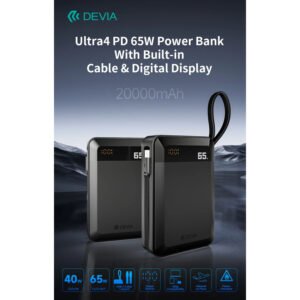
5. Power Bank – Keep Your Phone Ready
Recording videos, using the camera, editing clips and uploading content can consume a significant amount of smartphone battery.
A power bank helps keep your phone charged when you are recording outdoors or working away from a power outlet.
This can be particularly useful when creating content while travelling around Lagos.
What to check before buying a power bank:
- Battery capacity
- Charging speed
- Compatibility with your phone
- USB port options
- Size and portability
- Safety and protection features
Choose a capacity that suits your daily usage and phone requirements.
Build Your First Smartphone Content Creation Setup
You do not need to buy everything at once. Build your setup based on the type of content you want to create.
| Content type | Recommended gadgets |
|---|---|
| YouTube videos | Phone tripod, earbuds and power bank |
| Instagram Reels | Selfie stick, tripod and power bank |
| TikTok videos | Phone stand, tripod and earbuds |
| Product reviews | Phone tripod and phone stand |
| Travel videos | Selfie stick, power bank and earbuds |
| Online tutorials | Phone stand, tripod and earbuds |
Start with the accessories that solve your biggest recording challenges. You can add more equipment as your content creation needs grow.
How to Create Better Smartphone Videos
Having the right gadgets is only one part of content creation. How you use your smartphone also makes a difference.
1. Use Natural Lighting
Good lighting can improve the appearance of your videos. When recording indoors, try positioning yourself near a window where natural light is available.
Avoid placing a bright light source directly behind you, as it can make your face appear dark.
2. Clean Your Smartphone Camera
Dust and fingerprints can affect image quality. Before recording, gently clean your camera lens with a soft microfiber cloth.
3. Choose the Correct Video Orientation
Use vertical recording for platforms such as Instagram Reels, TikTok and YouTube Shorts.
For traditional YouTube videos and many tutorials, horizontal recording may be more suitable.
4. Keep Your Background Clean
A simple and organised background helps viewers focus on your content.
You do not need an expensive studio. A clean wall, organised desk or suitable home corner can work well.
5. Record in a Quiet Environment
Background noise can make your videos difficult to understand. Choose a quieter recording location whenever possible.
If you are recording outdoors in busy areas of Lagos, pay attention to traffic and surrounding noise.
6. Plan Your Video Before Recording
Write down a few points before starting. A simple structure can help:
- Introduction: Explain what your video is about.
- Main content: Share your information or demonstrate something.
- Conclusion: Summarise the key points and invite viewers to engage.
Planning helps you avoid unnecessary retakes and saves editing time.
Useful Mobile Apps for Beginner Content Creators
Your smartphone can handle much of the content creation process. Depending on your needs, you can explore applications for editing, designing and organising content.
- CapCut: For editing short-form and social media videos.
- Canva: For thumbnails, posters and social media graphics.
- VN Video Editor: For mobile video editing.
- Snapseed: For photo editing.
- YouTube Studio: For managing and monitoring your YouTube channel.
Check each application’s current availability and features for your device before installing it.
Common Mistakes Beginners Should Avoid
When starting content creation, it is easy to spend money on unnecessary equipment. Avoid these common mistakes:
- Buying too many gadgets immediately: Start with essential accessories and upgrade gradually.
- Ignoring audio quality: Clear sound makes your videos easier to watch.
- Recording with poor lighting: Use natural light or suitable lighting equipment.
- Using an unstable phone position: A tripod or stand can help prevent shaky footage.
- Ignoring battery life: Charge your phone before recording and carry a power bank when needed.
- Waiting for expensive equipment: Practise with your existing smartphone before investing in more accessories.
Consistency and useful content matter more than having the most expensive setup.
Where to Find Smartphone Content Creation Accessories in Lagos
Building a beginner-friendly recording setup does not have to be complicated. Start by identifying the accessories you need and comparing their compatibility, quality and prices.
At GaraMart, explore useful product categories for your smartphone content creation setup, including:
- Selfie sticks and tripods
- Phone stands and holders
- Earbuds and headphones
- Power banks
- Charging accessories
Choose products based on your smartphone model, recording requirements and budget. Before purchasing, check the product description and specifications to ensure the accessory meets your needs.
Frequently Asked Questions
1. Can I start content creation with only my smartphone?
Yes. A smartphone is enough to start creating videos, taking photos, recording tutorials and publishing social media content. You can add accessories as your needs grow.
2. What is the most important gadget for beginner content creators?
A phone tripod is a useful first purchase because it helps keep your smartphone stable and supports hands-free recording.
3. Do I need an expensive camera to start a YouTube channel?
No. You can start with your smartphone. Focus on clear audio, good lighting, stable recording and useful content before investing in a dedicated camera.
4. Is a selfie stick useful for recording videos?
Yes. A selfie stick helps capture wider angles, travel videos, group photos and walking videos. Some models also include Bluetooth remote controls.
5. Why should content creators carry a power bank?
Recording, editing and uploading videos can drain your smartphone battery. A power bank helps keep your device charged when you are away from a power outlet.
6. How much equipment do I need to start?
You can begin with a smartphone and one or two accessories, such as a phone tripod and power bank. Add other gadgets when you identify a specific need.
Final Thoughts
Starting content creation does not require a professional studio or expensive camera equipment. Your smartphone, combined with a few practical accessories, can help you create useful and engaging videos.
Begin with a phone tripod, selfie stick, phone stand, earbuds or power bank based on your content requirements. Practise recording, improve your lighting and audio, and develop a consistent publishing routine.
Explore GaraMart’s smartphone accessories and build a content creation setup that works for your needs and budget in Lagos.